Entities & Venues
Entities define the organizational scope, while Venues define the physical or site-level scope within that organization.
Overview
- Entities represent logical groupings such as a company, region, or business unit.
- Venues represent specific locations, for example an office, store, or site, under an Entity.
- Devices inherit configuration from
Entity -> Venue, enabling centralized and scalable provisioning.
Entity
Entities are used to organize devices and apply shared configurations across multiple locations.
Create an Entity
- Log in to the OWPROV UI.
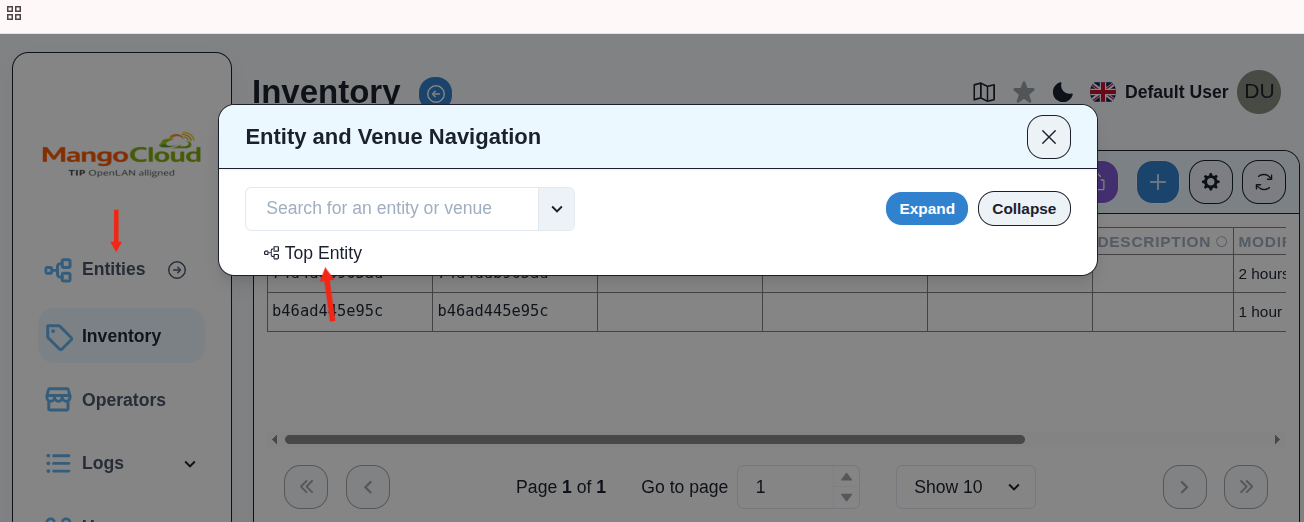
- Navigate to
Entitiesfrom the left menu. - Select the
Top Entityor parent entity, if applicable.
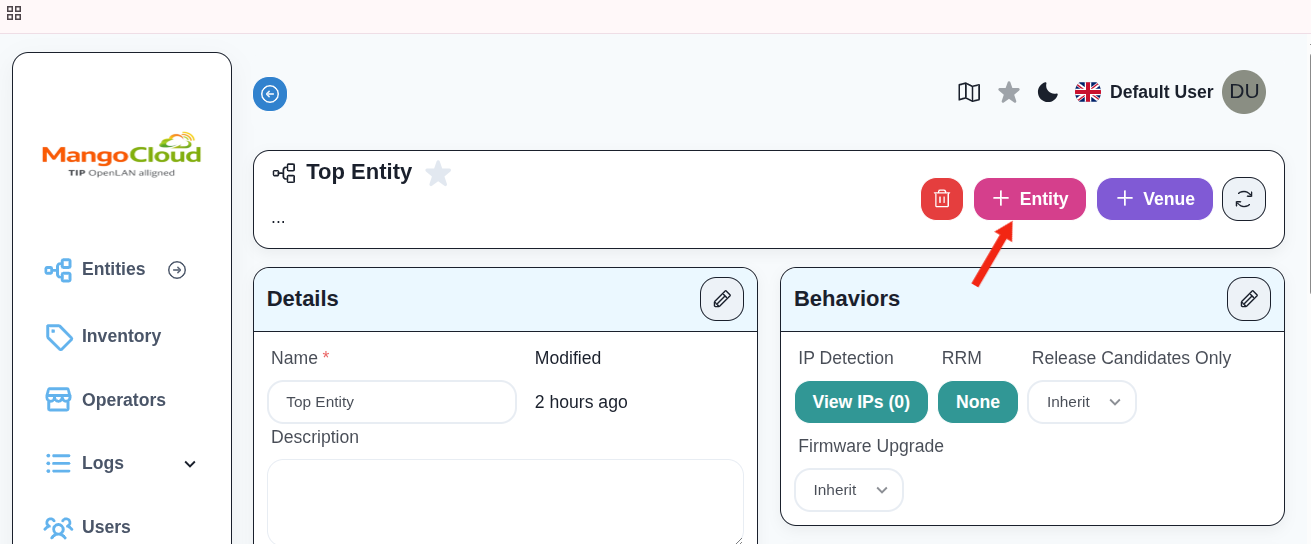
- Click
+ Entity.
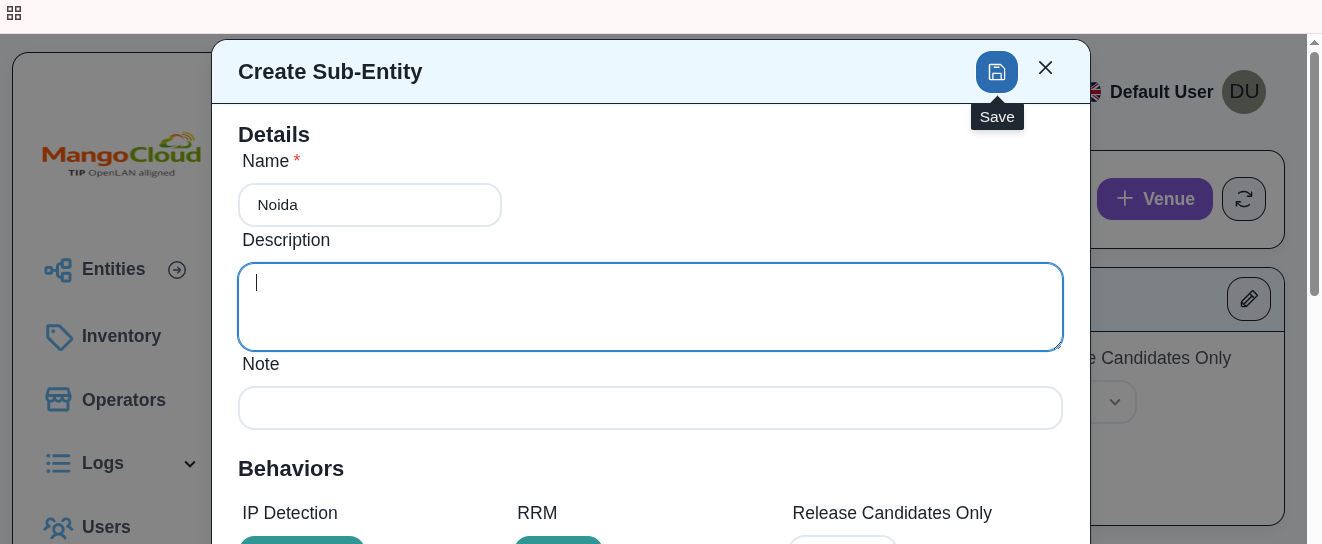
- Enter:
- Name:
- Description(Optional)
- Click Save.
Venue
Venues represent deployment sites under an Entity where devices are assigned and provisioned.
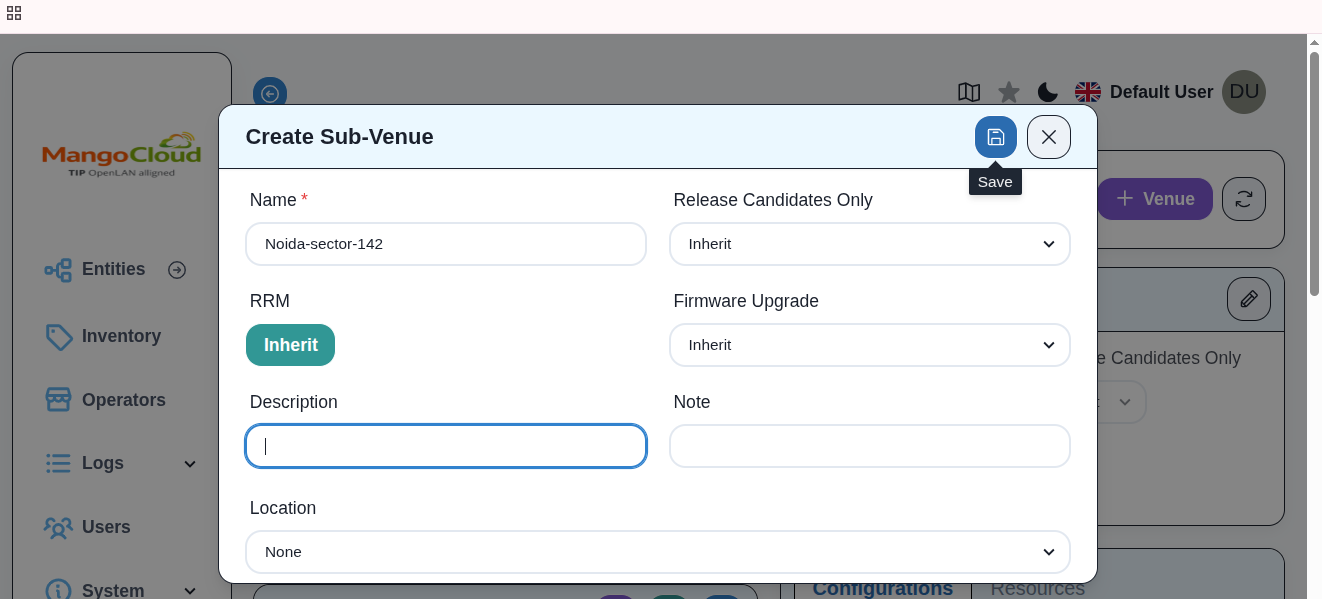
Create a Venue
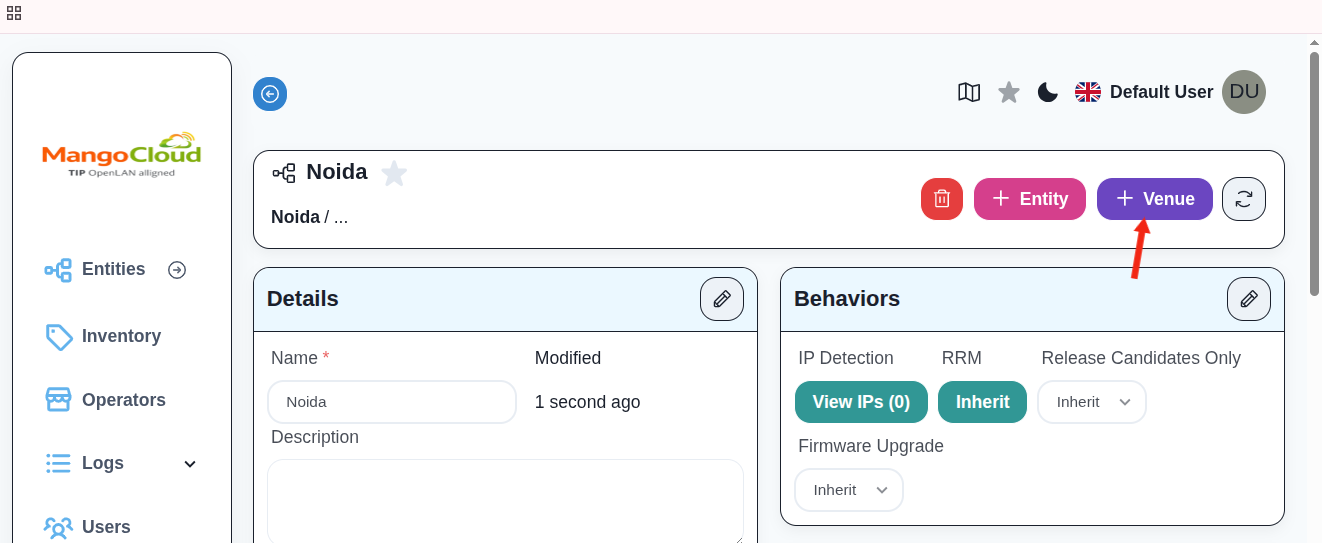
- Select the target Entity.
- Click
+ Venue.
- Enter:
- Name:
- Description(Optional)
- Click Save.
Result
- The Entity is added to the organizational hierarchy.
- The Venue is created under the selected Entity.
- Devices can now be assigned to the Venue and inherit configurations accordingly.