Device Operations Overview
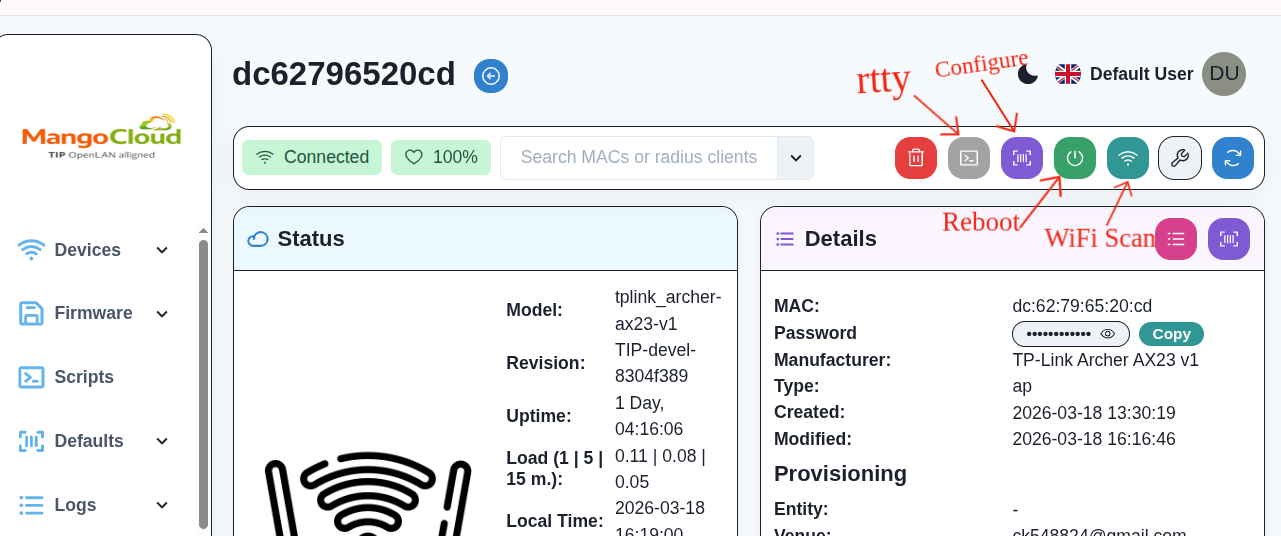
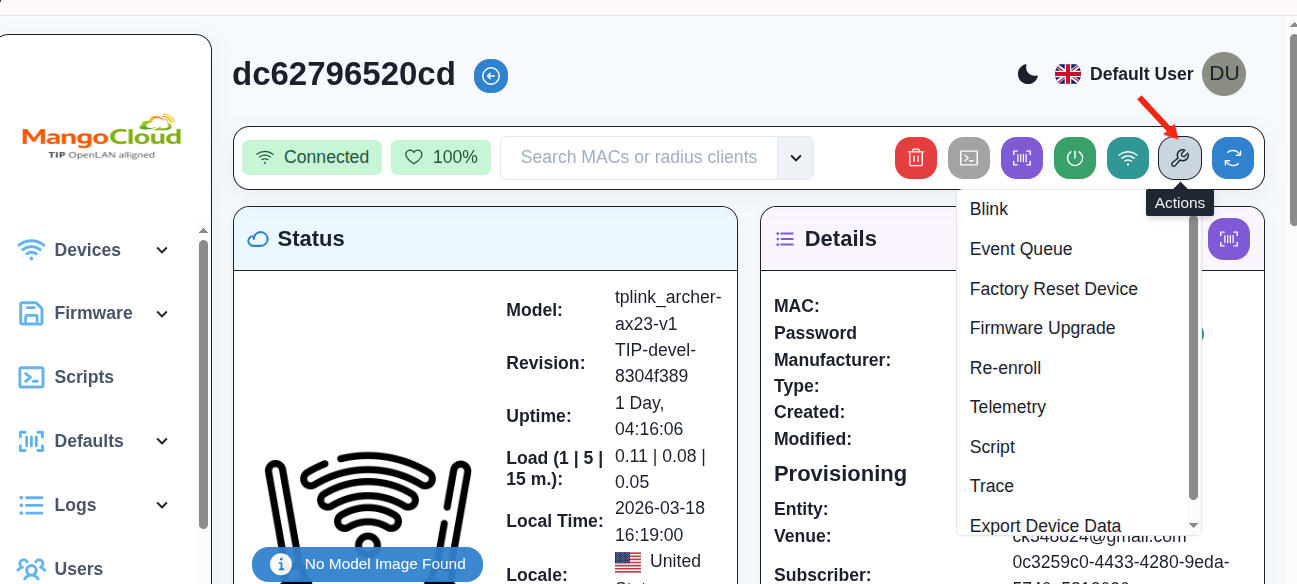
Commands available through OWGW:
- Blink: Physically identifies the device by blinking its LED.
- Factory Reset Device: Resets the device to factory default and clears configuration.
- Event Queue: Displays pending or queued device actions.
- Firmware Upgrade: Flashes a new firmware image (.itb or .img).
- Telemetry: Collects real-time system stats (CPU, memory, clients, Wi-Fi status).
- Script: Executes custom shell commands or bundles on the device.
- Trace: Captures live traffic (packet capture) for debugging.
- Rtty: Provides remote terminal access (similar to SSH or serial console).
- Configure: Manages device configuration from the Controller UI.
- Reboot: Remotely restarts the device.
- Wi-Fi Scan: Detects nearby wireless networks and shows SSID/signal strength.