Device-type defaults
Steps:
- Log in to OWGW-UI.
- Go to Defaults -> Configurations.

- Click Create and add a default configuration:
- Name (e.g.,
tplink_default_configuration) - Device type
- Configuration JSON
- Name (e.g.,
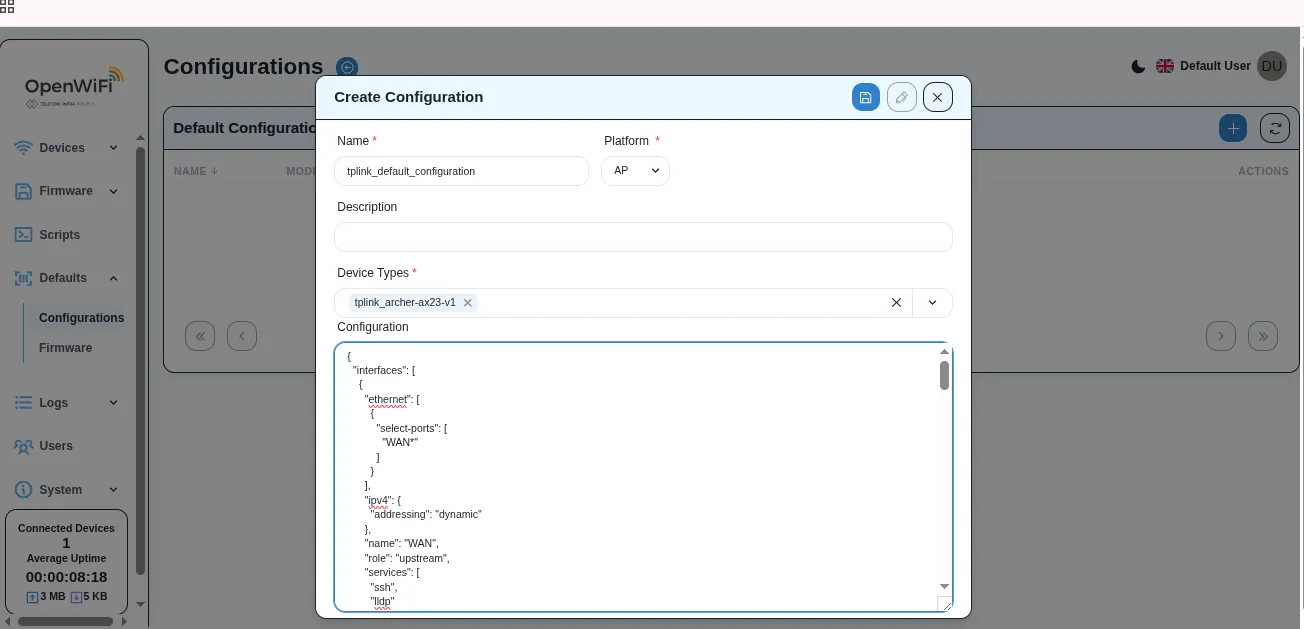
- Click Save.
- Confirm the new entry appears in the Defaults list.
